
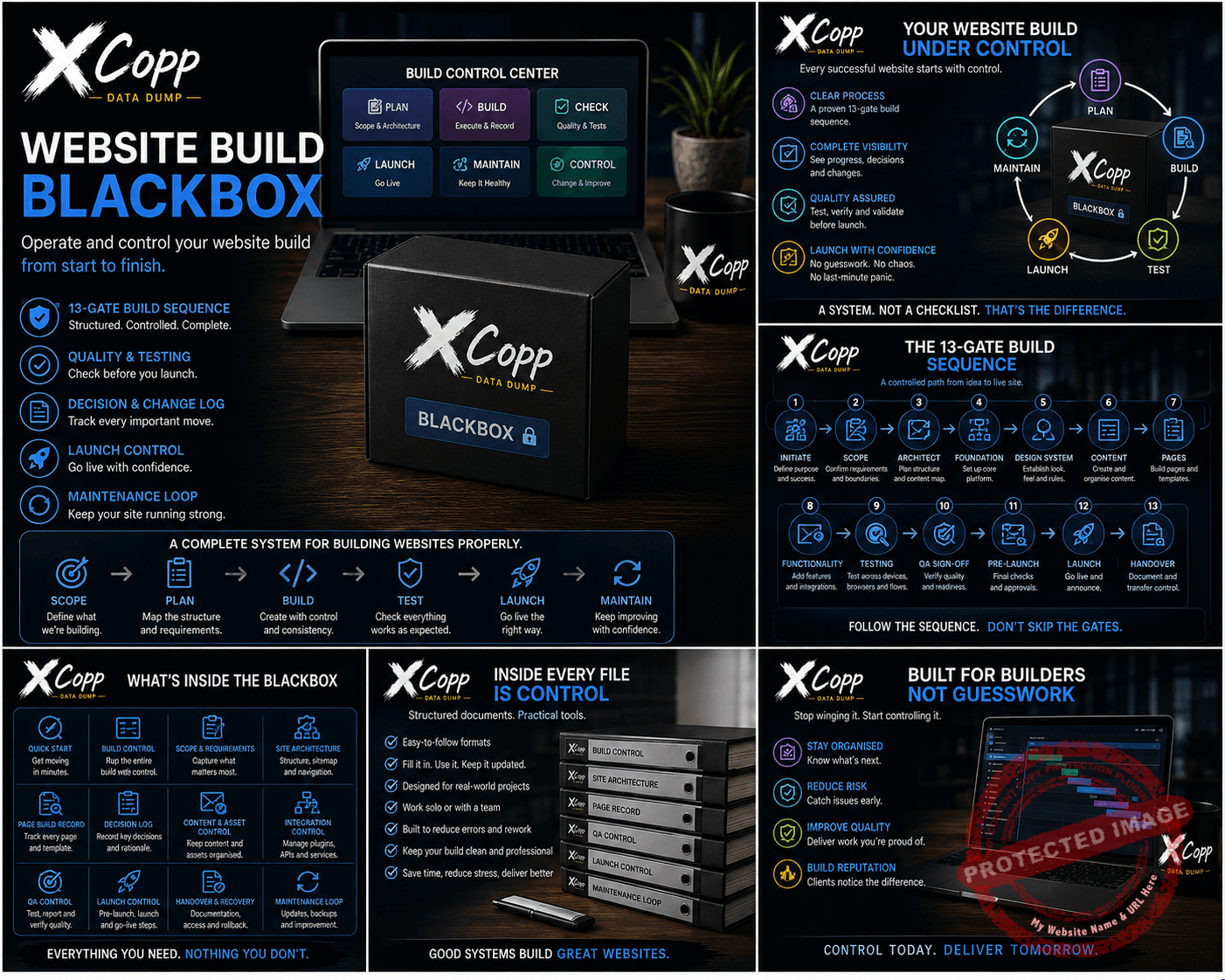
Website Build BlackBox
A website build can start organised and become chaos remarkably quickly.
Pages change. Requirements grow. Decisions disappear into messages. Integrations get added. Somebody changes something important and three weeks later nobody remembers why.
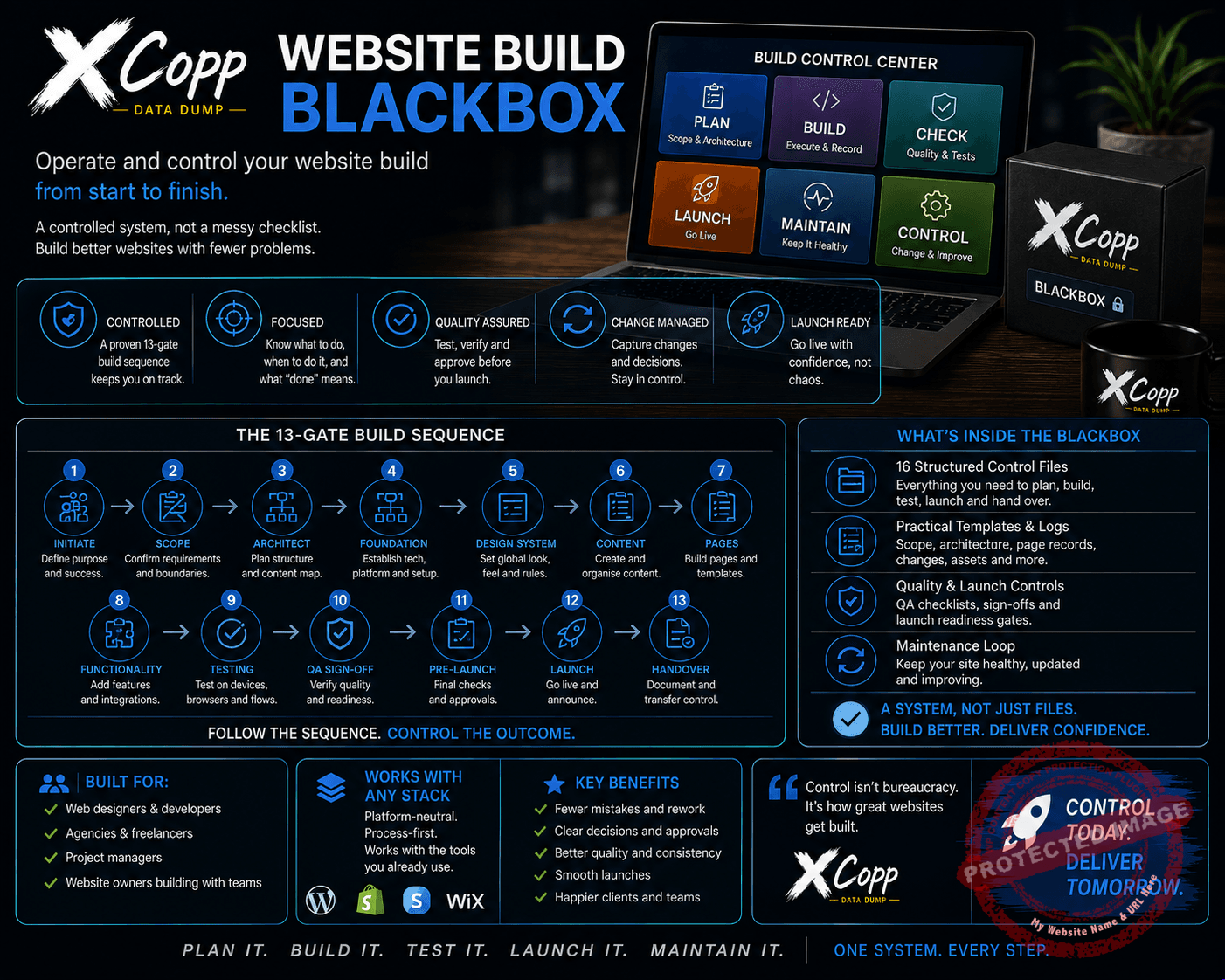
Website Build BlackBox gives you a structured operating system for controlling the build from beginning to end.
A system, not another website checklist
This isn’t another list of things a website should contain.
It is designed to help you run the actual build.
The BlackBox takes the project through a controlled sequence:
Define → Architect → Build → Verify → Launch → Handover → Maintain
Instead of relying on memory, scattered notes and whatever happens to be open in your browser, you create a traceable record of the website as it develops.
The 13-gate build sequence
The system takes the website through thirteen practical control gates:
- Define the project.
- Architect the website.
- Prepare content and assets.
- Build the foundation.
- Build the pages.
- Connect forms and integrations.
- Run responsive and accessibility checks.
- Apply SEO foundations.
- Run quality assurance.
- Capture recovery state.
- Control the launch.
- Verify the live website.
- Complete handover.
Each stage has a job. Each stage reduces the chance of important work disappearing into project fog.
Control the scope before the scope controls you
Website projects have a habit of quietly expanding.
A small change becomes another page. Another page needs another form. The form needs another integration. Suddenly the original project has grown arms and legs.
The included scope and requirements controls help separate:
- accepted work;
- new changes;
- deferred work; and
- rejected work.
No silent scope expansion.
Architect before you decorate
Define routes, page jobs, navigation, global components and visitor journeys before disappearing down the design rabbit hole.
The Site Architecture controls help you establish what the website needs to do and how its important parts connect.
Keep decisions and changes traceable
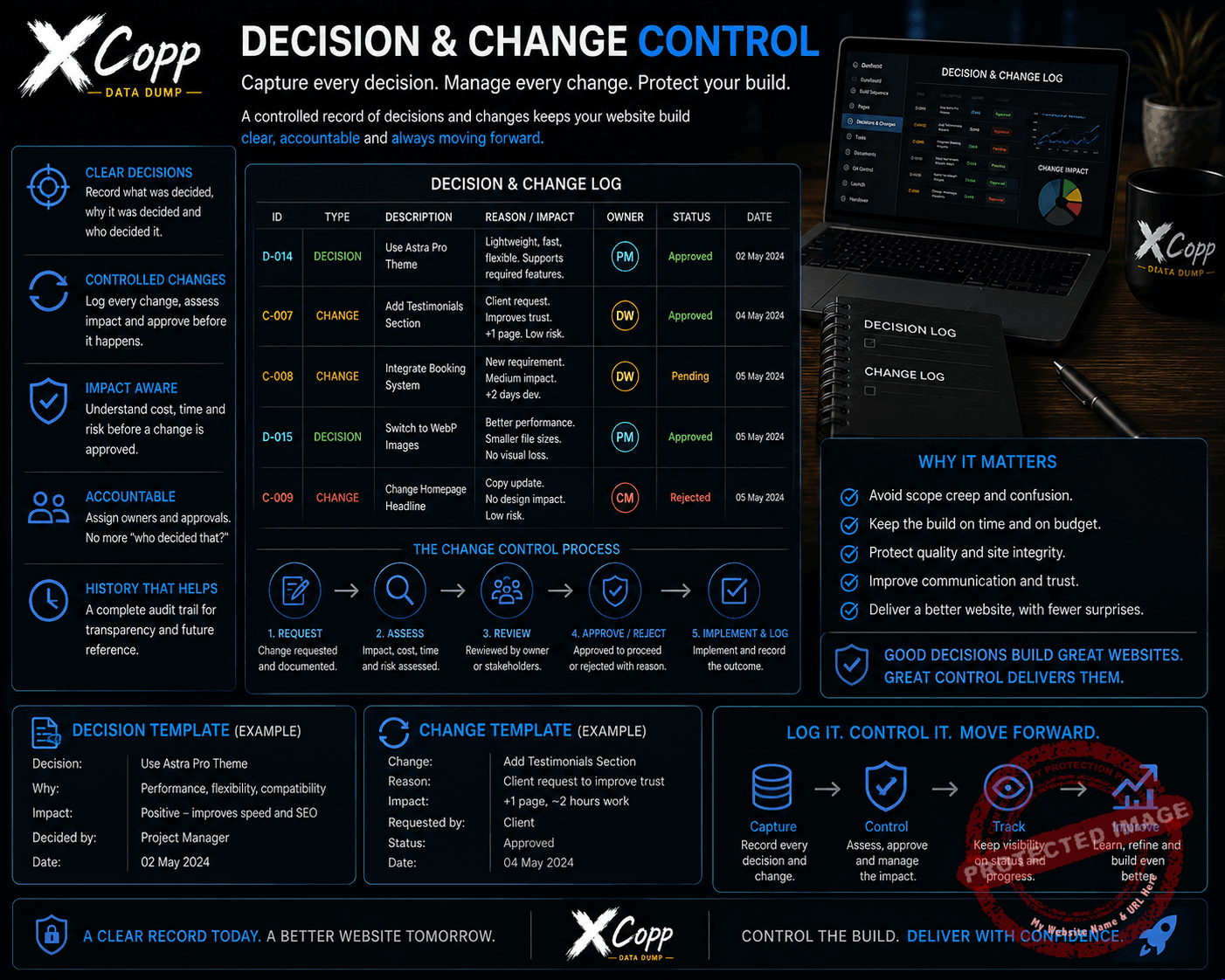
The included Decision & Change Log gives important project decisions somewhere permanent to live.
Record:
- what was requested;
- what is known;
- what is assumed;
- what remains unknown;
- the decision;
- the reason;
- what the change affects;
- recovery implications; and
- how the result was verified.
Because “I’m sure we discussed this somewhere” is not project governance.
Control pages, content and assets
Use the Page Build Record to track important pages individually, including their job, route, audience, call to action, content source, layout, SEO state, integrations, mobile checks and known issues.
The Content & Asset Control also helps keep important source assets separate from temporary or generated candidates.
Control integrations
Forms, email systems, ecommerce, downloads, analytics and other integrations can look perfectly configured inside an editor while still failing in the real world.
The Integration Control focuses on the complete journey:
configuration → trigger → destination → success state → live verification
An admin screen is not proof that the visitor journey works.
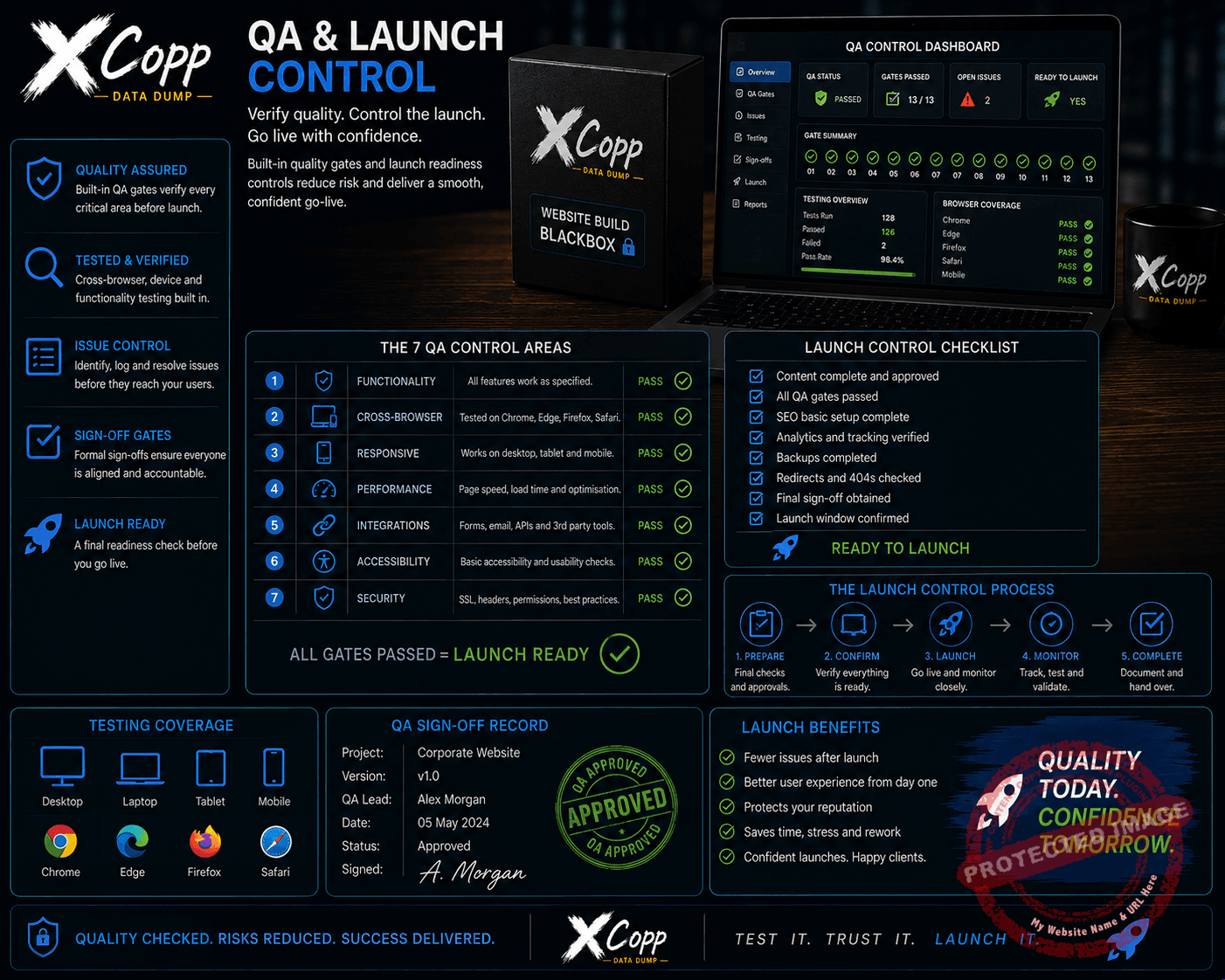
QA before launch
The BlackBox includes structured quality controls covering:
- site structure;
- content;
- mobile behaviour;
- forms and functionality;
- SEO and discovery;
- security foundations; and
- recovery state.
Find blocking problems before your customers do.
Treat launch as a controlled state change
Launching should not mean clicking Publish and hoping for the best.
Launch Control records the pre-launch state, authorisation, recovery source, critical checks, launch actions and live verification.
Then the actual public website is tested — logged out, on mobile and through its important visitor journeys.
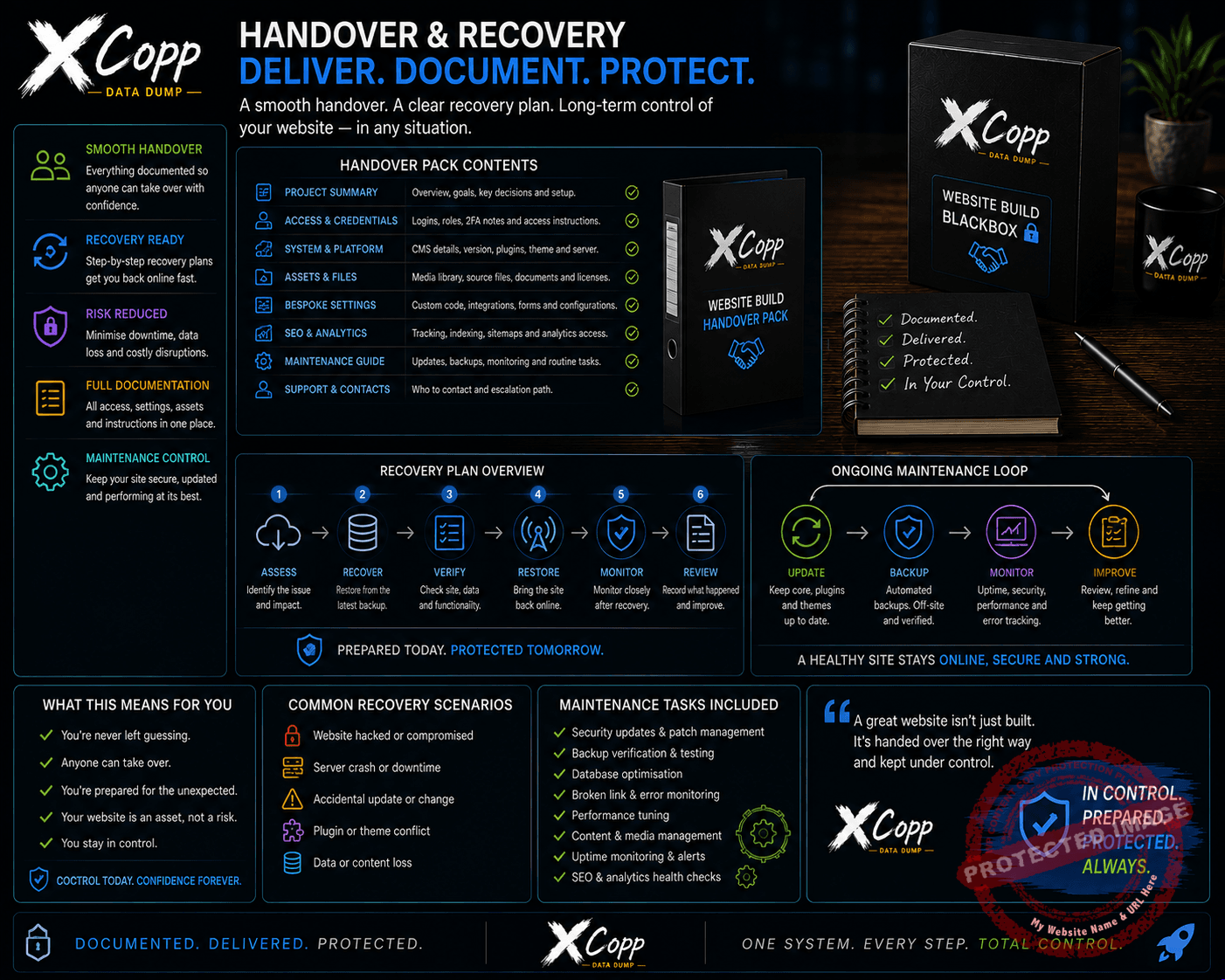
Handover without losing the project
A finished website should not depend entirely on one person’s memory.
Handover & Recovery records important operational ownership, including:
- domain and registrar;
- DNS;
- hosting and platform;
- administration;
- email and forms;
- ecommerce and payments;
- analytics and search;
- backups;
- important assets;
- maintenance responsibility;
- dependencies; and
- known unknowns.
The goal is simple: a competent operator should be able to understand and recover the important website state without depending on somebody remembering everything.
What you get
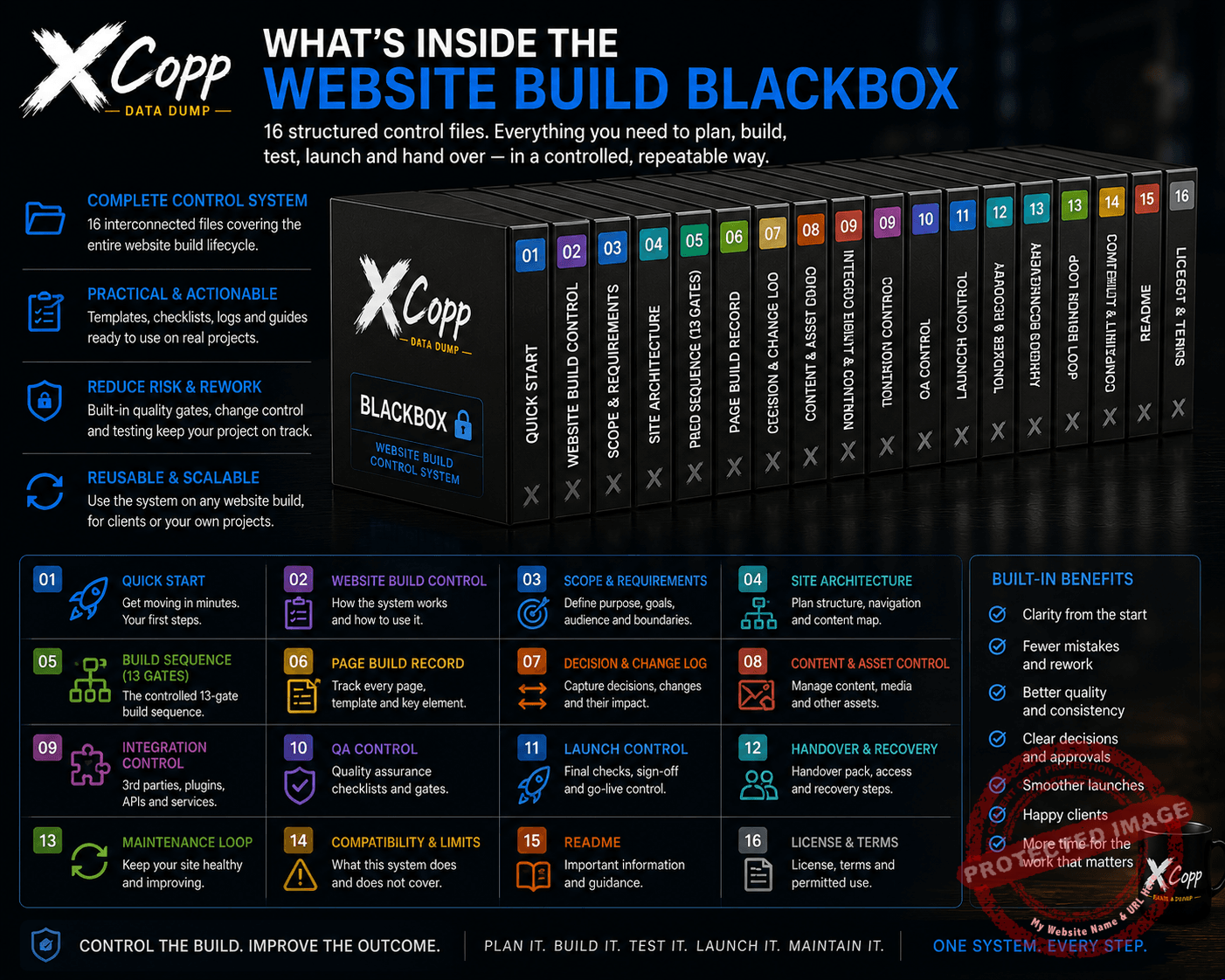
The customer package contains 16 practical files:
- Quick Start
- Start Here
- Website Build Control
- Scope & Requirements
- Site Architecture Control
- Controlled Build Sequence
- Page Build Record
- Decision & Change Log
- Content & Asset Control
- Integration Control
- Website QA Control
- Launch Control
- Handover & Recovery
- Maintenance Loop
- Compatibility & Limits
- README
Who is it for?
Website Build BlackBox is built for creators, freelancers, small businesses, project owners and practical builders who want more control over a website project without turning it into corporate bureaucracy.
Use it for your own website or as the operating structure behind website work you deliver for somebody else.
Works beyond one platform
The system is deliberately platform-aware rather than locked to one website builder.
WordPress, hosted website builders, ecommerce platforms and custom stacks all change over time. The underlying control problems remain remarkably similar.
Where provider-specific configuration matters, always verify against the provider’s current documentation.
Know what changed. Know why. Know how to recover.
A website is not properly controlled simply because it is online.
You need to understand the decisions, structure, dependencies, verification and recovery behind it.
Define. Architect. Build. Verify. Launch. Handover. Maintain.
Control the build. Improve the outcome.


Reviews
There are no reviews yet.